
0 ITEMSVIEW CART

21
May
HOW TO DISABLE A SECURITY BOOT
VERIFY IF SECURE BOOT IS DESACTIVATED:
1/ Press the key combination: Windows + R

2/ A pop-up window will open in which to write: msinfo32 and click ok.
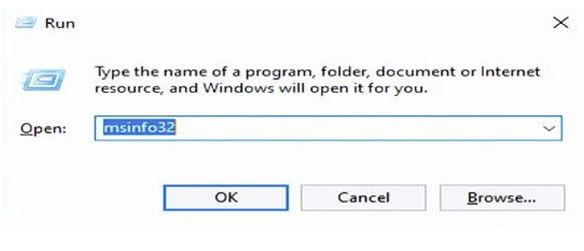
3/ A Windows Will open, in which you can verify if the secure boot is enabled or disabled
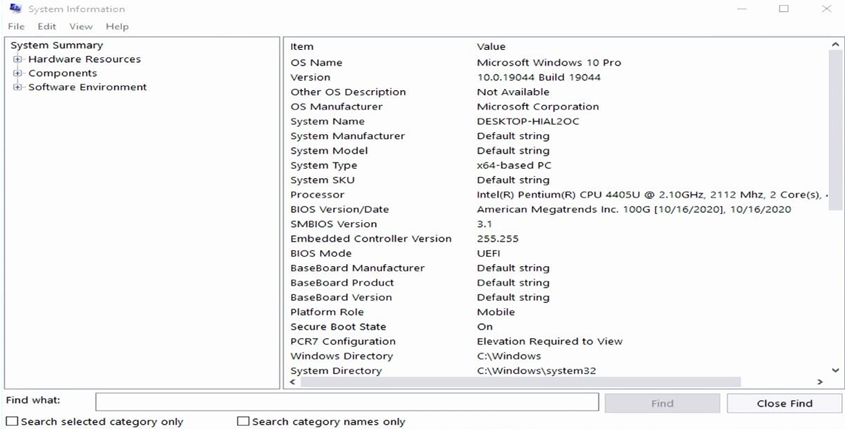
STEPS TO DISABLE SECURE BOOT:
1/ Go To Bios => “CLICK HERE TO GET HOW TO GO BIOS INSTRUCTION”
2/ Go to Secure Boot Options:
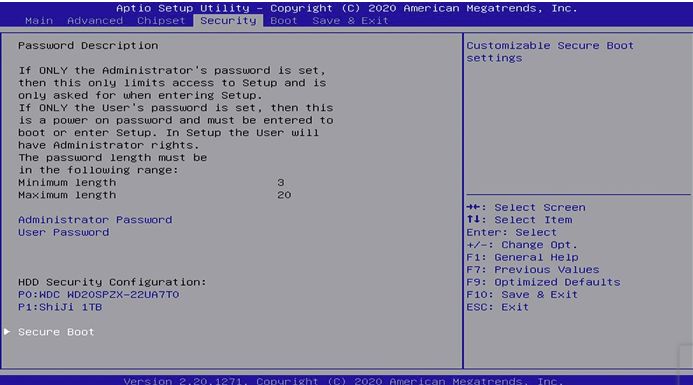
3/ Choose to disable:

4/ Press F10 and choose save:
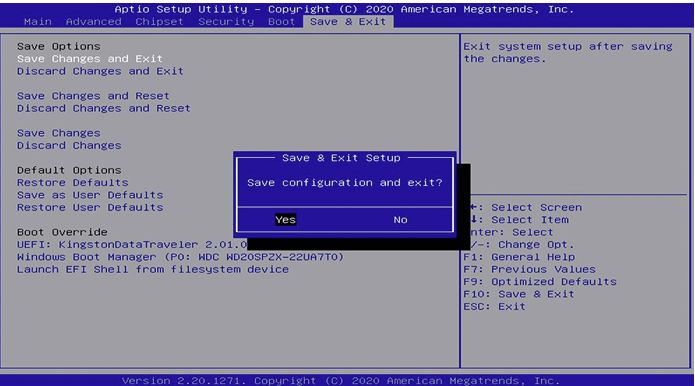
5/ Once the reboot is finished, verify if everything exit correctly, press Windows +
R, and write msinfo32. and you will see that the secure boot was disabled
