
3 ITEMSVIEW CART


Total: 155.00

Expert Support
Full Speed
100% Working
15 USD
Contents:
HD2500 Hardware
Proximity Reader
Display
Menu Keypad
Numbered Keypad
InfoLink Module Technical Specifications
Resources
Menu Description
Equipment Roles
SERVICE CODE
Analyzer: Status WLAN Status
Analyzer: Status General Configuration
Analyzer: Status Download
Analyzer: Status Flash
Analyzer: Input/Output
Analyzer: Input/Output Impact Detection
Analyzer: Input/Output Read FOB
Analyzer: Status Input/Output Inputs & Settings
HD2000 / HD1000 ICM
Proximity Reader
Display
InfoLink Module Technical Specifications
Menu Description
Equipment Roles
Install Guidelines
Crown CAN
Crown Non-CAN
Non-Crown Electric Equipment
Data Collection
Check Wireless Connectivity
InfoLink Module Utility
Go Live
Associate Equipment
Post “Go-Live†Checks
Bypass
Maintenance Mode
Hour Meters
Impact Detection
Training
HD2500 InfoLink Reference Card
User Performance
Technician Information
Replace Module
Firmware Upgrade
Set Lockout Mode
Planned Maintenance
Maintenance Mode
Impact Sensor Error
Multiple Languages
Baud Rate Configurations
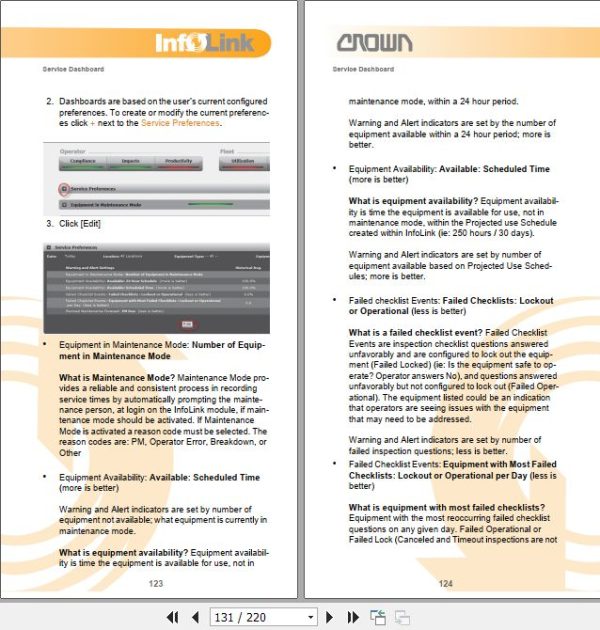
Service Dashboard
Service Preferences
Equipment in Maintenance Mode
Maintenance Mode Summary
Equipment Availability
Unplanned Maintenance History
Failed Checklist Events
Introduction to Equipment Events
Recent Equipment Events
Equipment Event History
Planned Maintenance Forecast
Completed Planned Maintenance History
Report Scheduler
Customer Manager/Supervisor
Messages
Alarms
Alarm Acknowledge
Email Notifications
Impact Detection
Troubleshooting
Module Display Messages
Additional Troubleshooting
Additional Problem: 7†Touch (HD3000) Only
Pinout
Power connector
CAN plug
7†Touch (HD3000) display plug
HD2500 Repair Parts
Other Parts
Hardware Needed for Support
7†Touch (HD3000) Repair Parts
Other Parts
Compliance
Compliance Statement
Technical Support

REALEASE :
26.02.2019
REALEASE :
26.02.2019

REALEASE :
03.10.2022
REALEASE :
03.10.2022

REALEASE :
07.01.2020
REALEASE :
07.01.2020

REALEASE :
REALEASE :

REALEASE :
04.03.2019
REALEASE :
04.03.2019

REALEASE :
22.03.2022
REALEASE :
22.03.2022

REALEASE :
22.03.2022
REALEASE :
22.03.2022

REALEASE :
REALEASE :
 Automotive - Heavy Equipment - Truck & Bus - Forklift - Crane